Reports → Network Shares lists the shared folders of all your Windows devices, for example to find shares nobody knows about or to check what a file server offers. The list comes from the devices' inventory, so it is as current as the last Full Inventory.
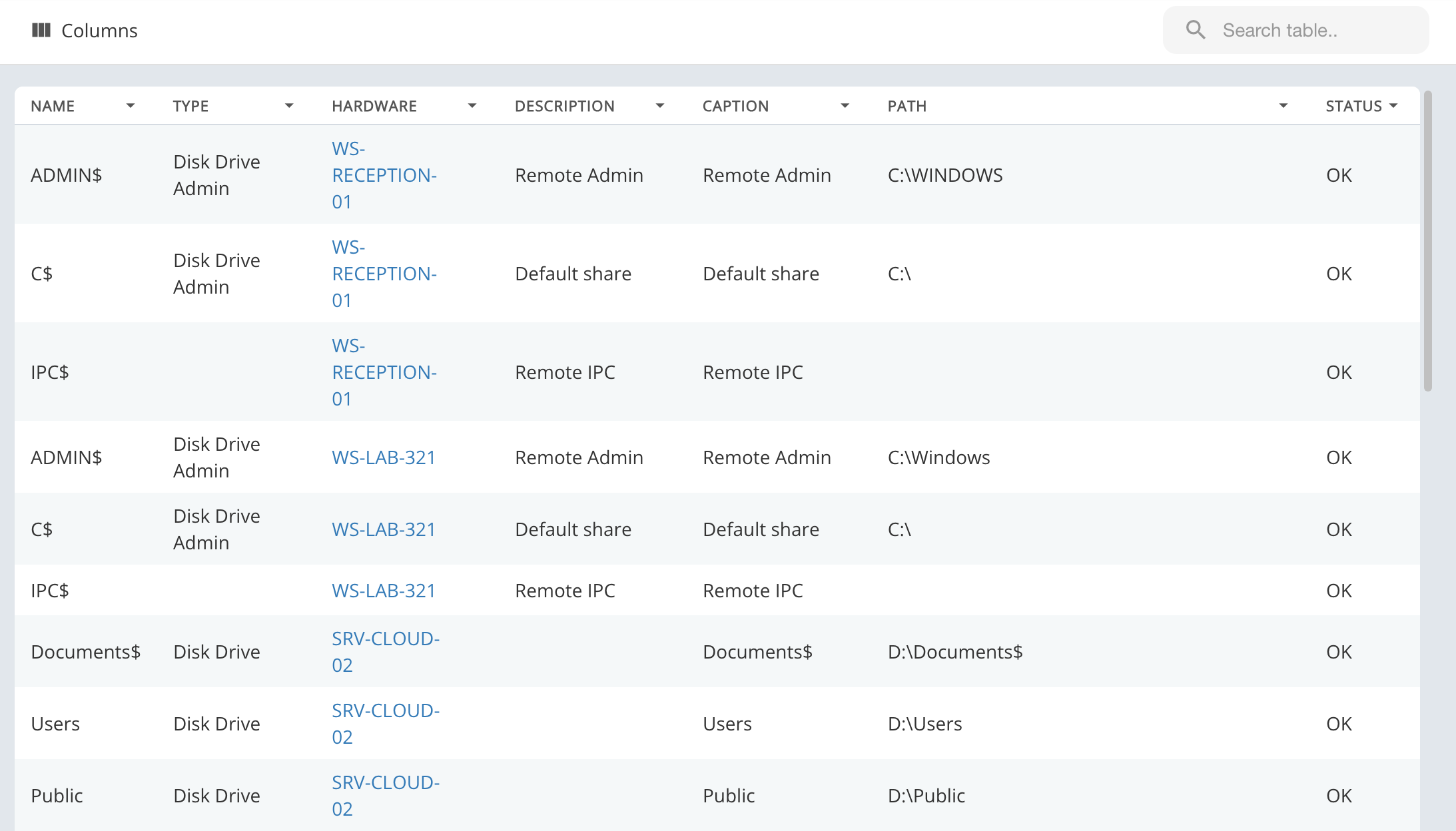
For each share you see its Name, the Type Windows reports (for example Disk Drive, or Disk Drive Admin for the administrative shares like
C$ and ADMIN$), the device (Hardware), its Description and Caption, the local Path and the Status.Click a hostname to open the device. The list can be searched and sorted, and Columns picks the columns.