Reports → Patch Management shows which Windows updates were installed on your devices in a period, for example to document the patch status of last month.
At the top you pick the Period: 7, 30 or 90 days, or your own dates. Installed by XEOX switches between the updates XEOX installed and the ones installed some other way, for example by Windows Update itself.
Installed Updates
One row per update, with its severity, priority, categories and the Number of devices it was installed on in the period.
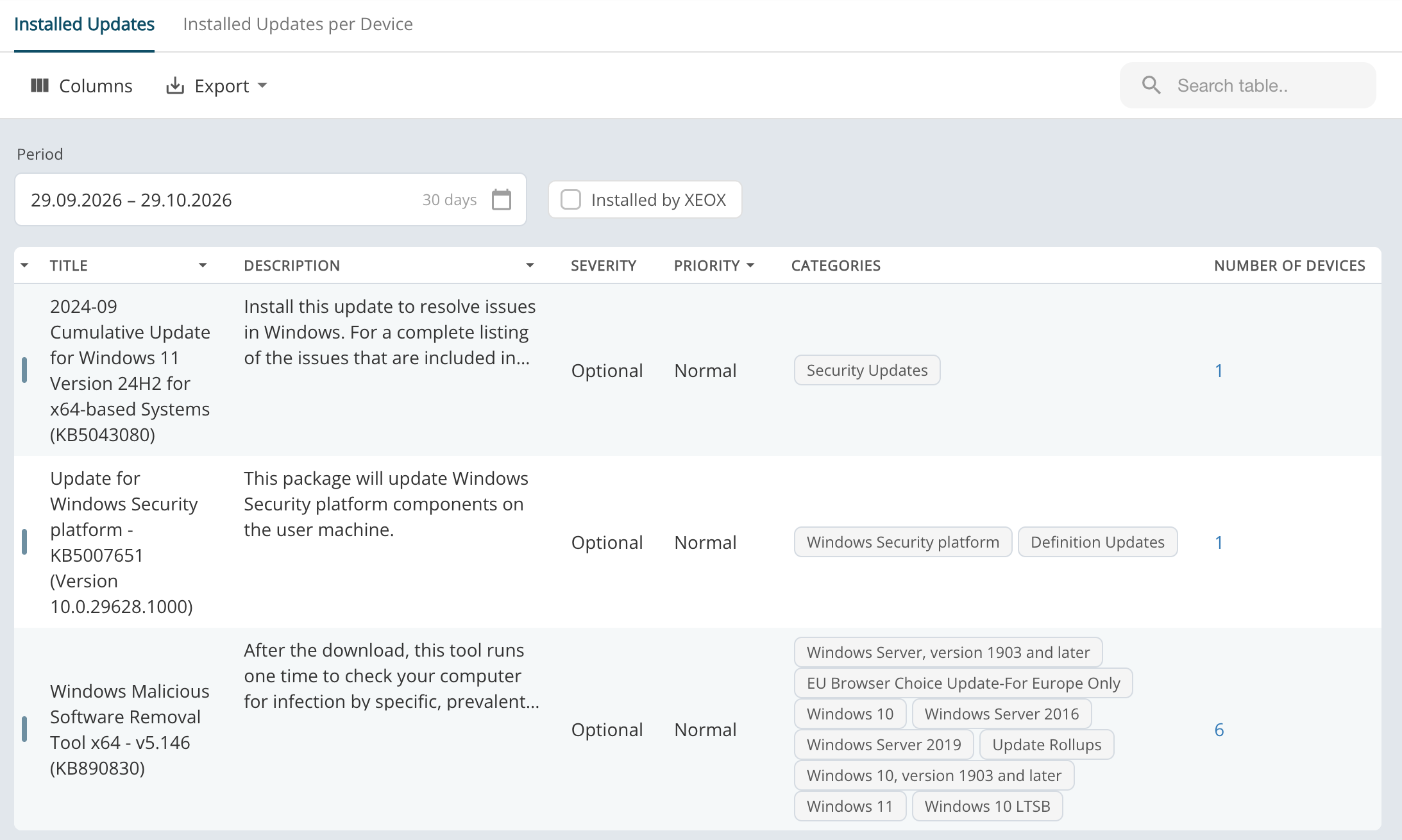
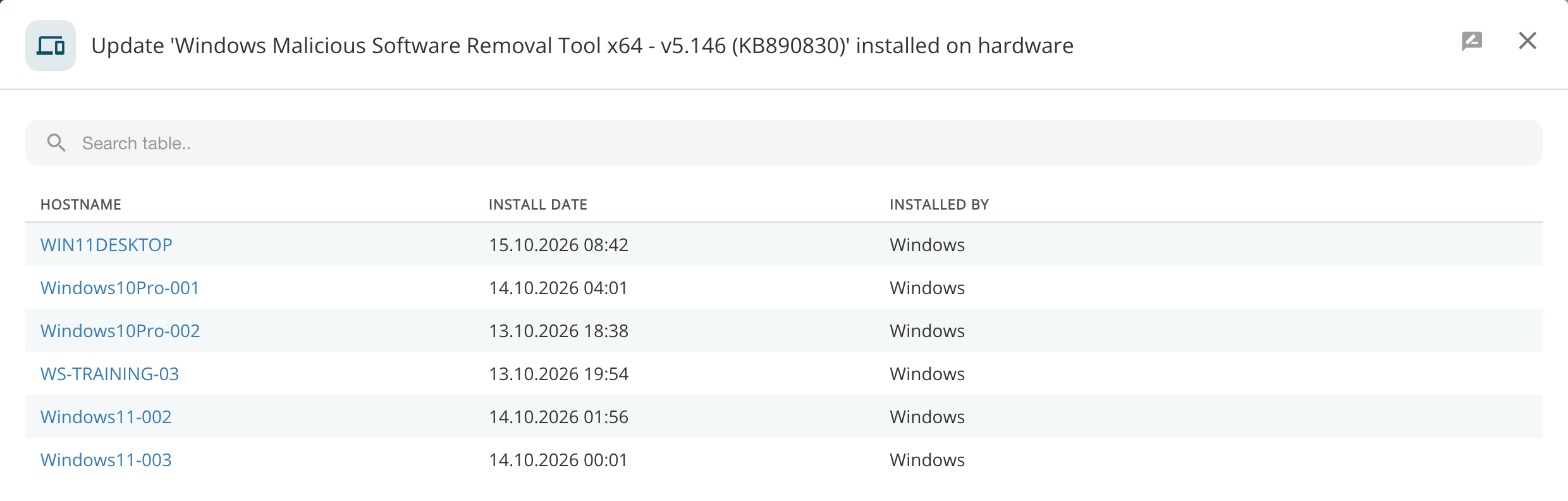
Click the number to see those devices, with the install date and what installed the update. Click a hostname to open the device.
Installed Updates per Device
One row per device and update, with the install date and what installed it.
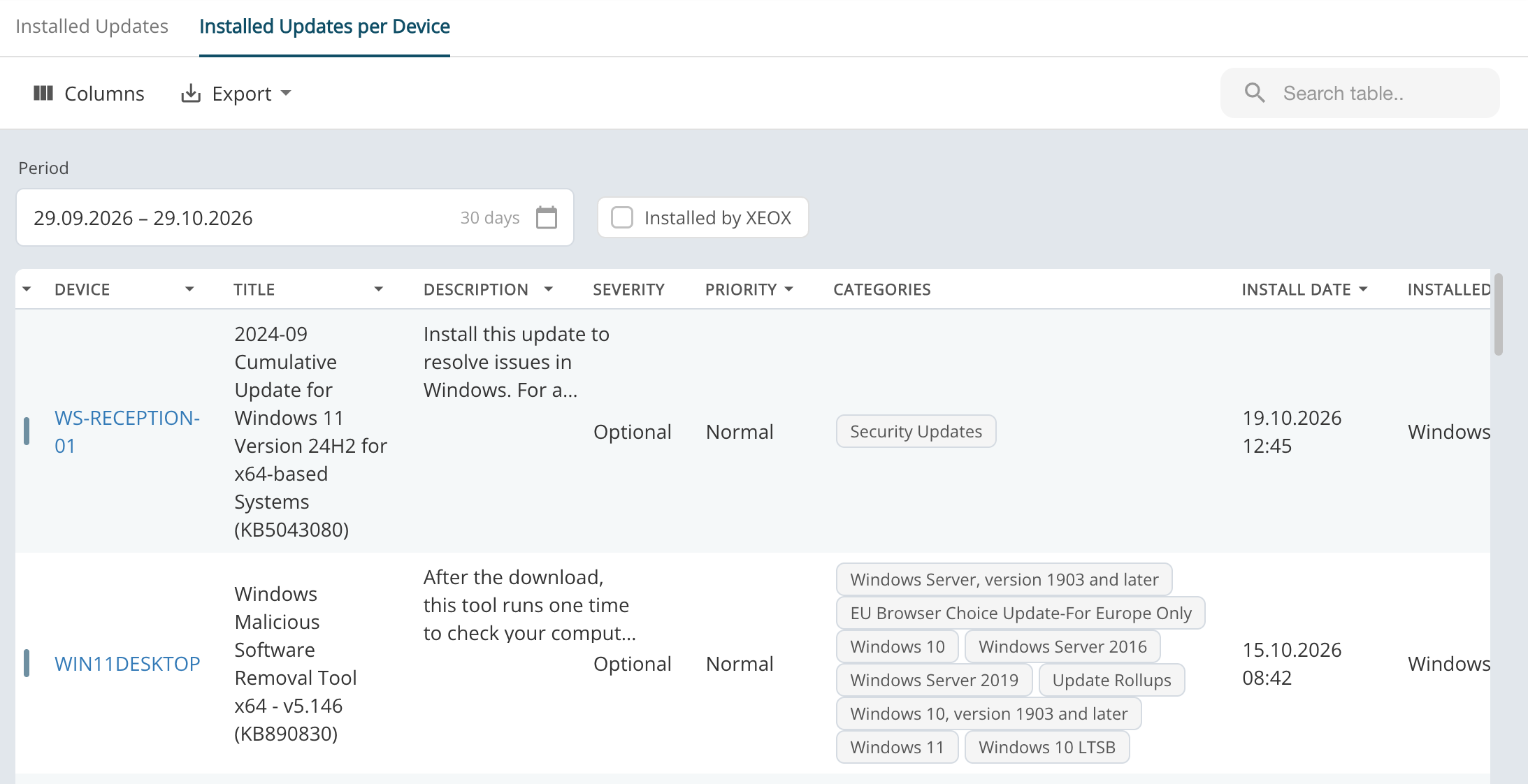
Both lists can be searched, sorted and exported (Export), and Columns picks the columns. For the updates a device is still missing, see Updates per Device.