File Sharing
If you want to download a file from the remote PC you have to allow
https://*.remote.xeox.com to open pop-up windows. Normally you are automatically prompted by your browser, when you are downloading a file.In the chance this is not the case, please checkout the help pages of you respective browser:
Chrome

Firefox

Safari

Clipboard
The clipboard usually syncs automatically between your PC and the remote one. Behavior depends on your browser. For the best experience, we recommend a Chromium-based browser (Chrome or Edge).
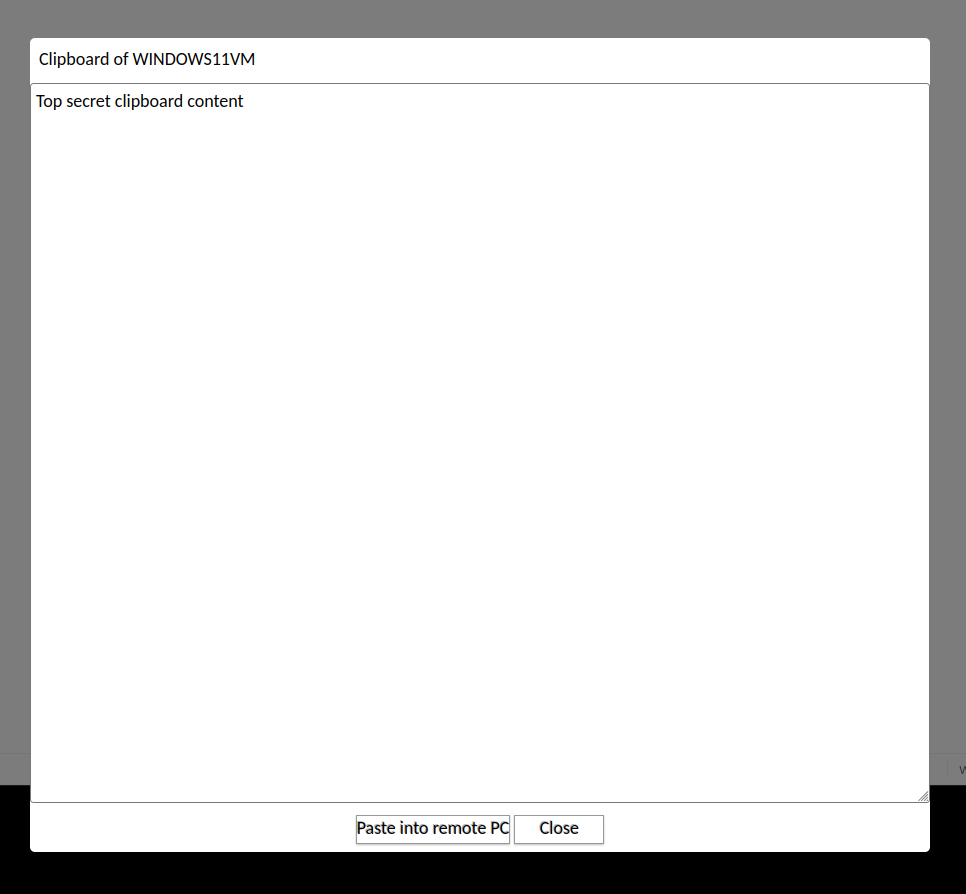
If automatic syncing doesn’t work, you can always use the clipboard menu from the toolbar, which lets you view and edit the remote PC’s clipboard directly:
Browser Compatibility Overview
Browser | Automatic Sync | Extra Setup Needed | Limitations / Notes |
Chrome / Edge (Chromium-based) | ✅ Yes | Grant one-time clipboard permission | Works seamlessly once permission is granted |
Firefox | ⚠️ Partial | Optional: enable dom.events.testing.asyncClipboard | Without setting: sync works only with keyboard shortcuts. Enabling the setting allows all websites to read your clipboard (security risk). |
Safari | ❌ No | None | Clipboard only syncs with manual confirmation from the user. Clipboard menu recommended. |
Chromium-Based Browsers (Chrome, Edge, etc.)
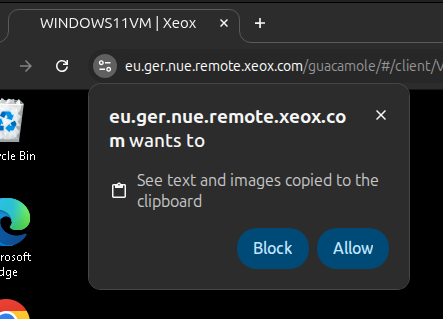
- When prompted, grant clipboard access permission.
- This appears as a one-time notification at the top of your browser window.
- Once permission is granted, your clipboard automatically syncs between local and remote systems for seamless copy-paste.
Firefox
Clipboard syncing in Firefox works differently:
- Clipboard updates are only synced automatically when using keyboard shortcuts (Ctrl+C / Ctrl+V).
- Using right-click paste or similar methods will not sync your local clipboard.
Optional: Enable Chrome-like Behavior
⚠️ Warning: This allows all websites to automatically read your clipboard. Use with caution.
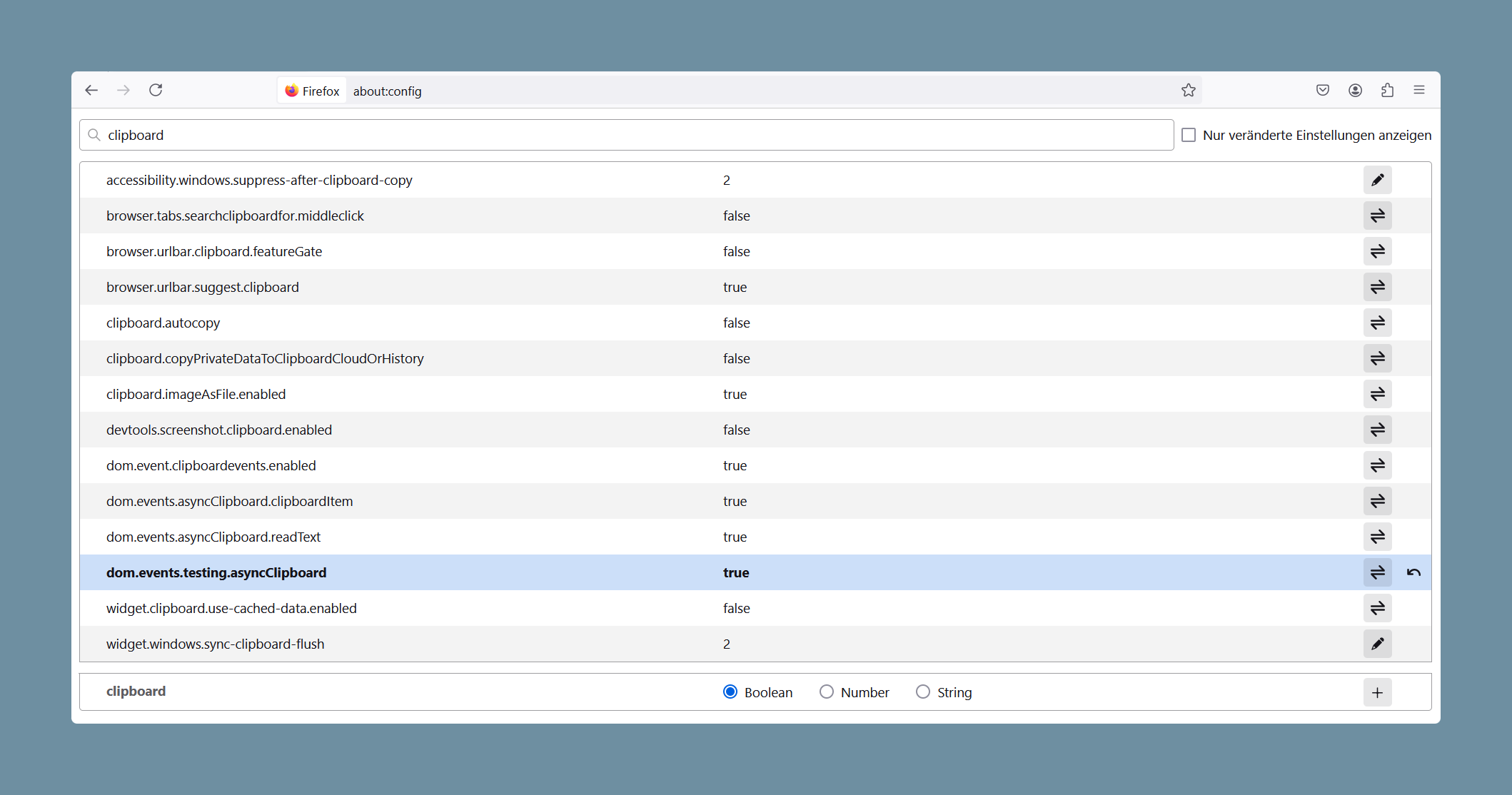
- Open Firefox Configuration
- Type
about:configin the address bar and press Enter.
- Search for Clipboard Settings
- Type
clipboardinto the filter field.
- Modify the Setting
- Locate
dom.events.testing.asyncClipboard. - Double-click (or toggle) it to set the value to
true.
Safari
Safari does not support automatic clipboard syncing.
- The clipboard only syncs when you manually confirm by clicking the Paste button, that is displayed by the Safari whenever there is an attempt to read your clipboard content.
- For reliable results, use the clipboard menu in the toolbar.