Create Windows network share for software distribution
Using the Network Share feature on Windows is the best method to share files in a local network, as it is more flexible.
Last updated on Open
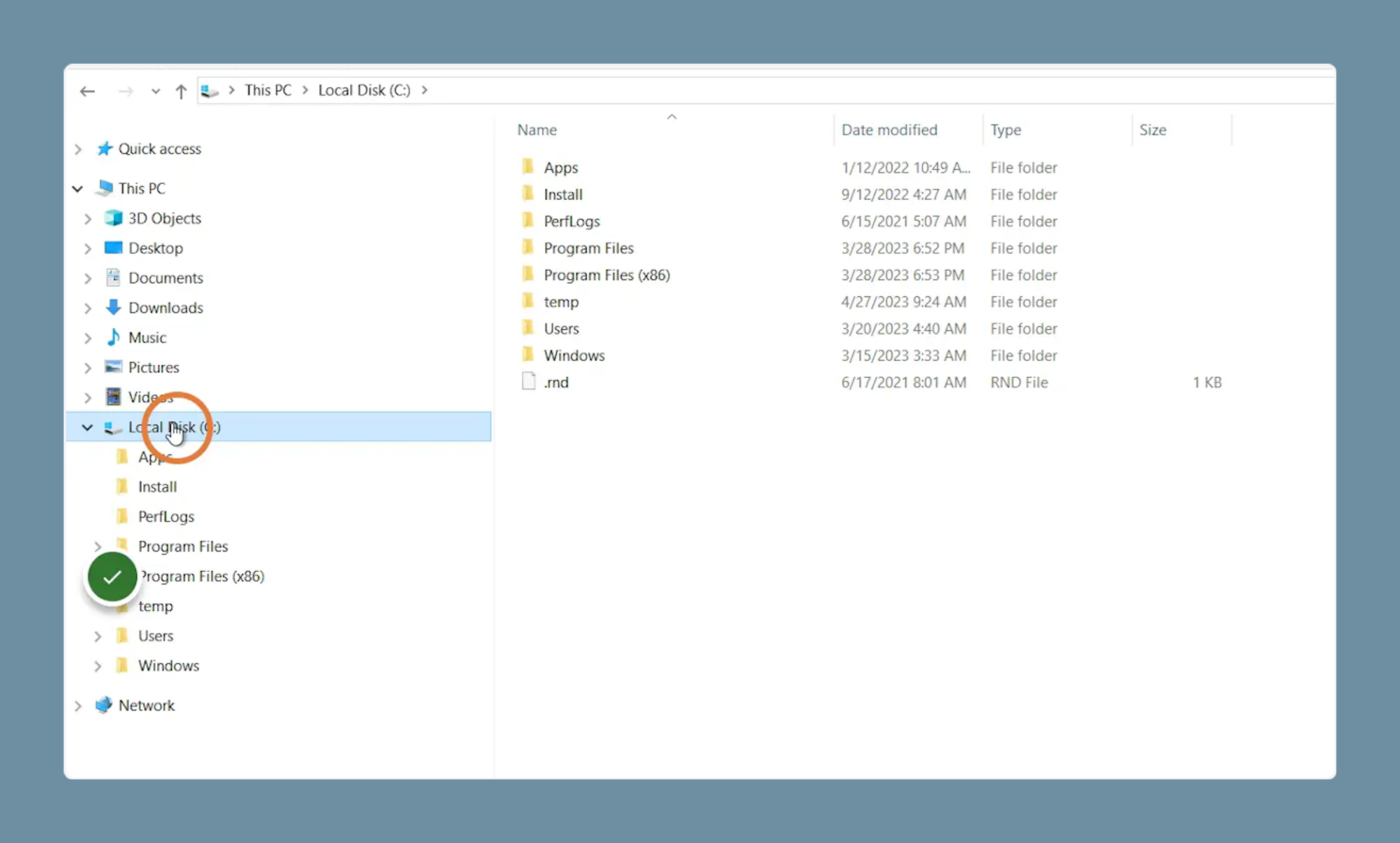
1. Click on the folder where you want to create your software distribution share
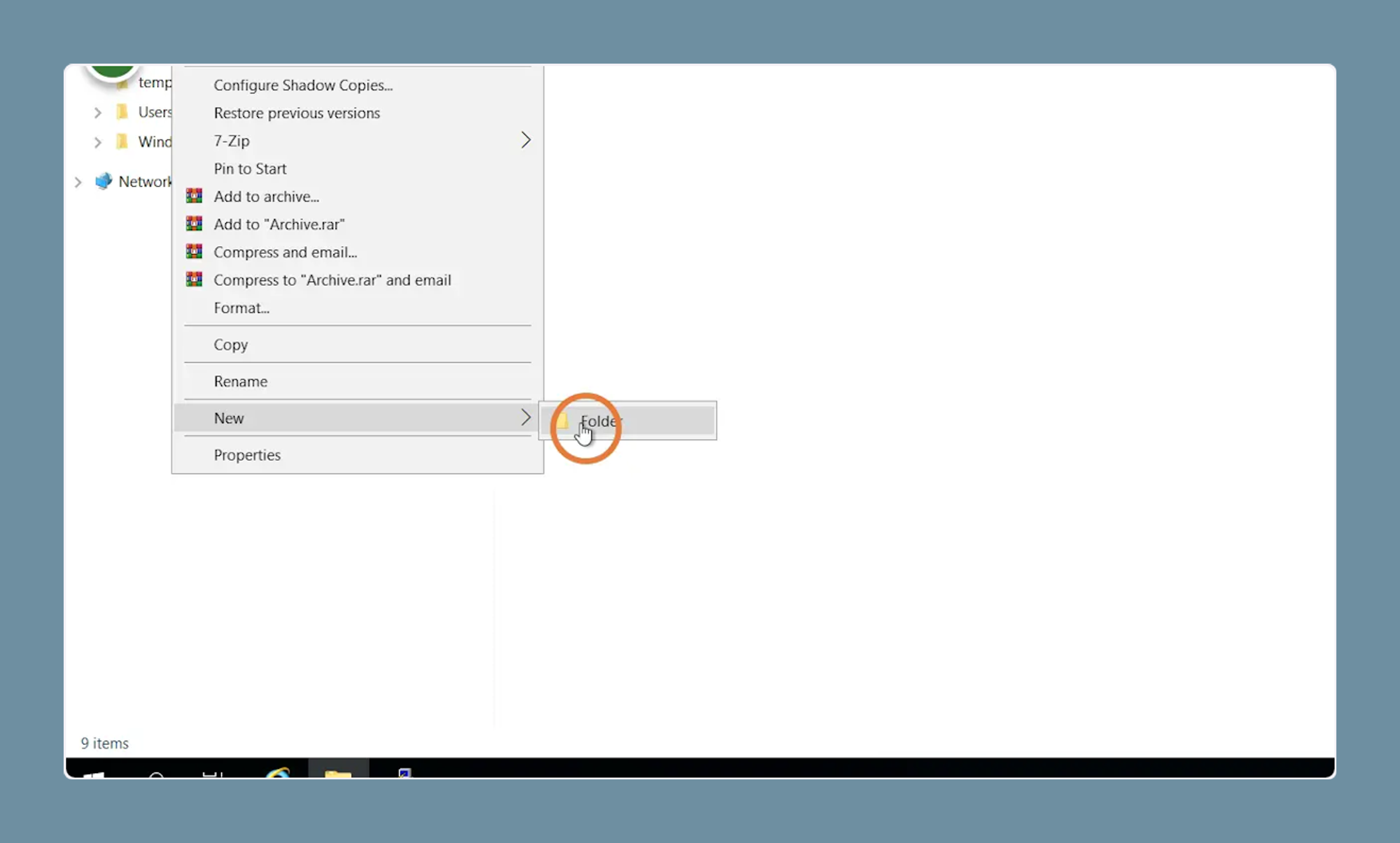
2. Click “New” - “Folder”
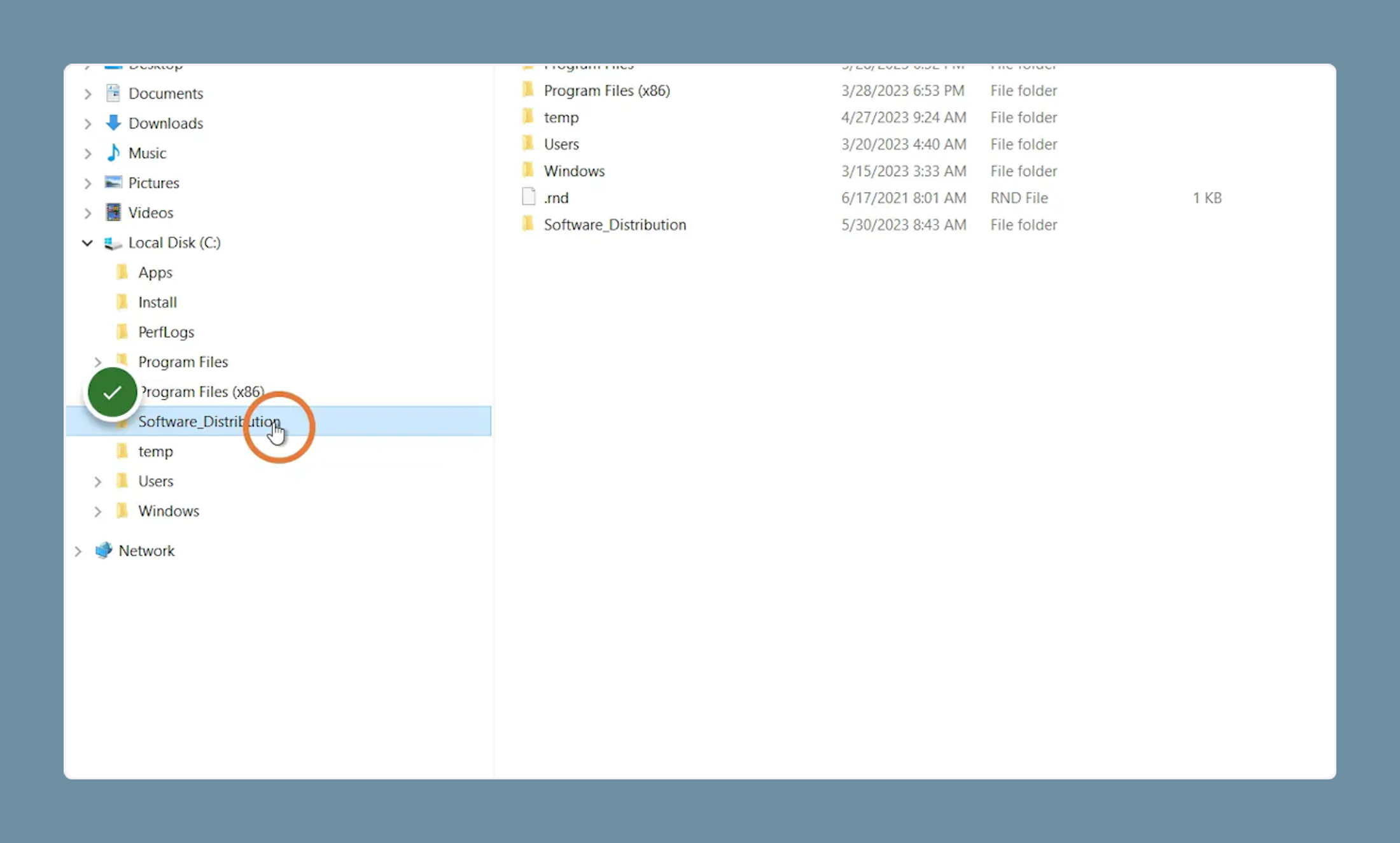
3. Right on the newly created folder
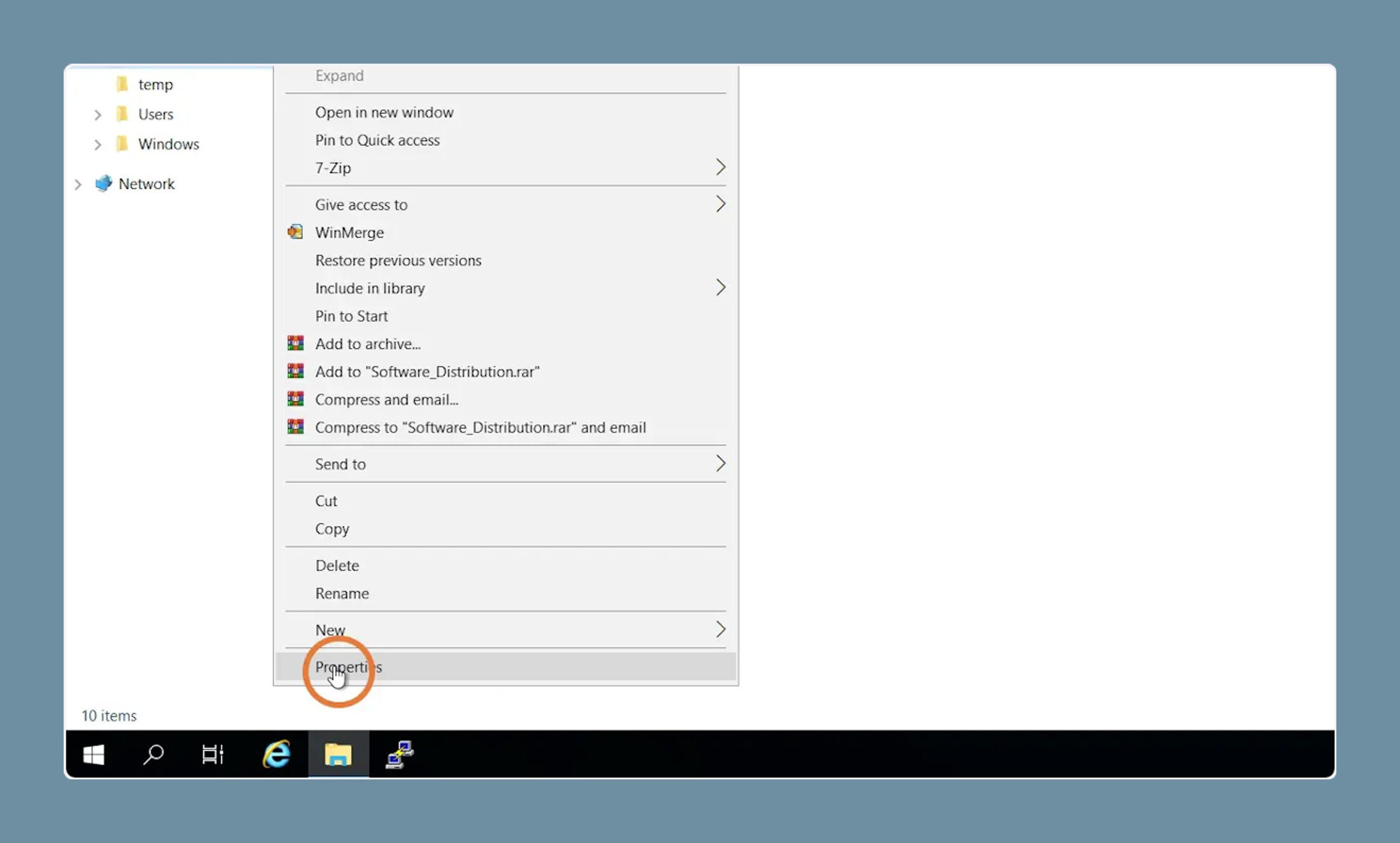
4. Click on “Properties”
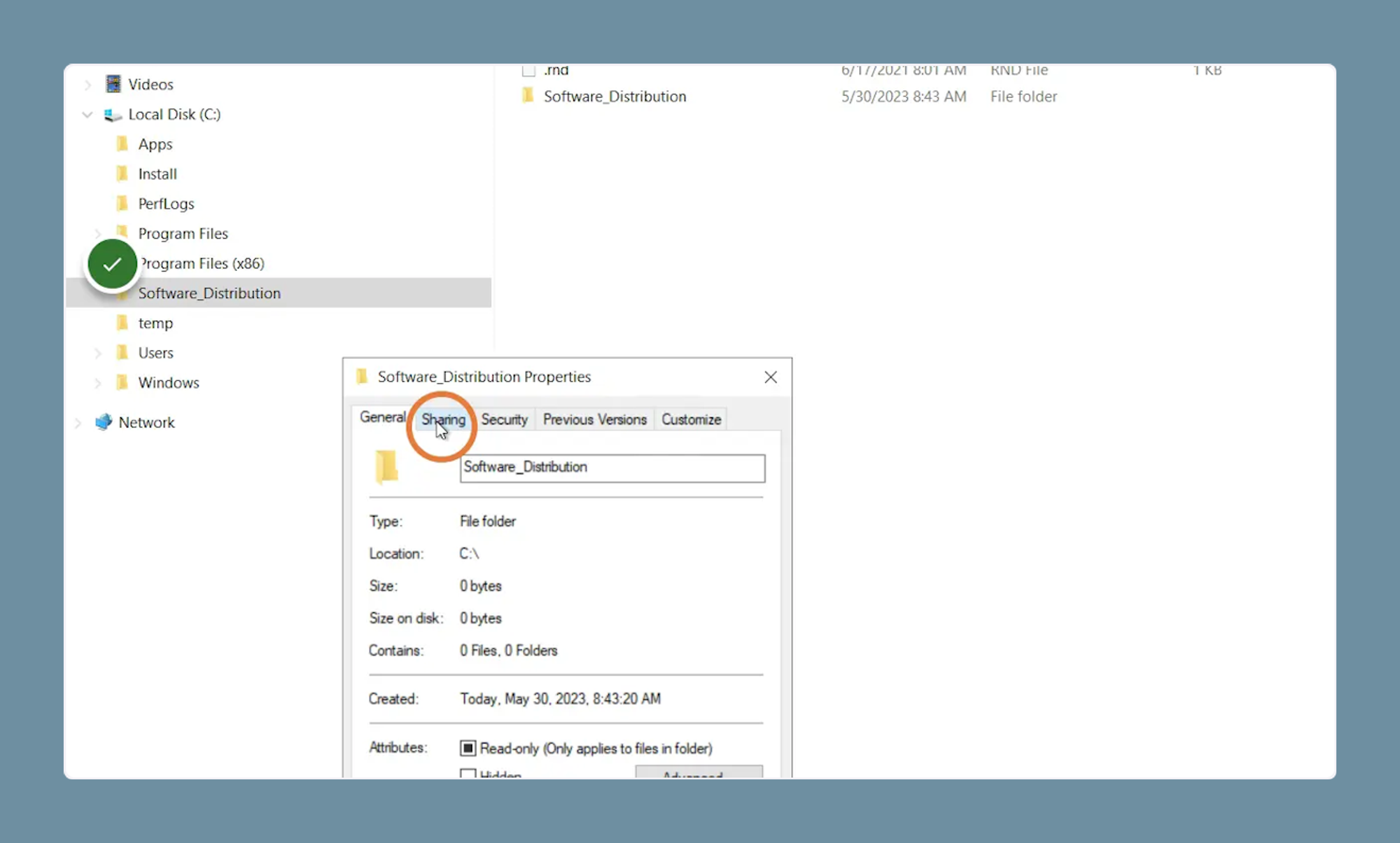
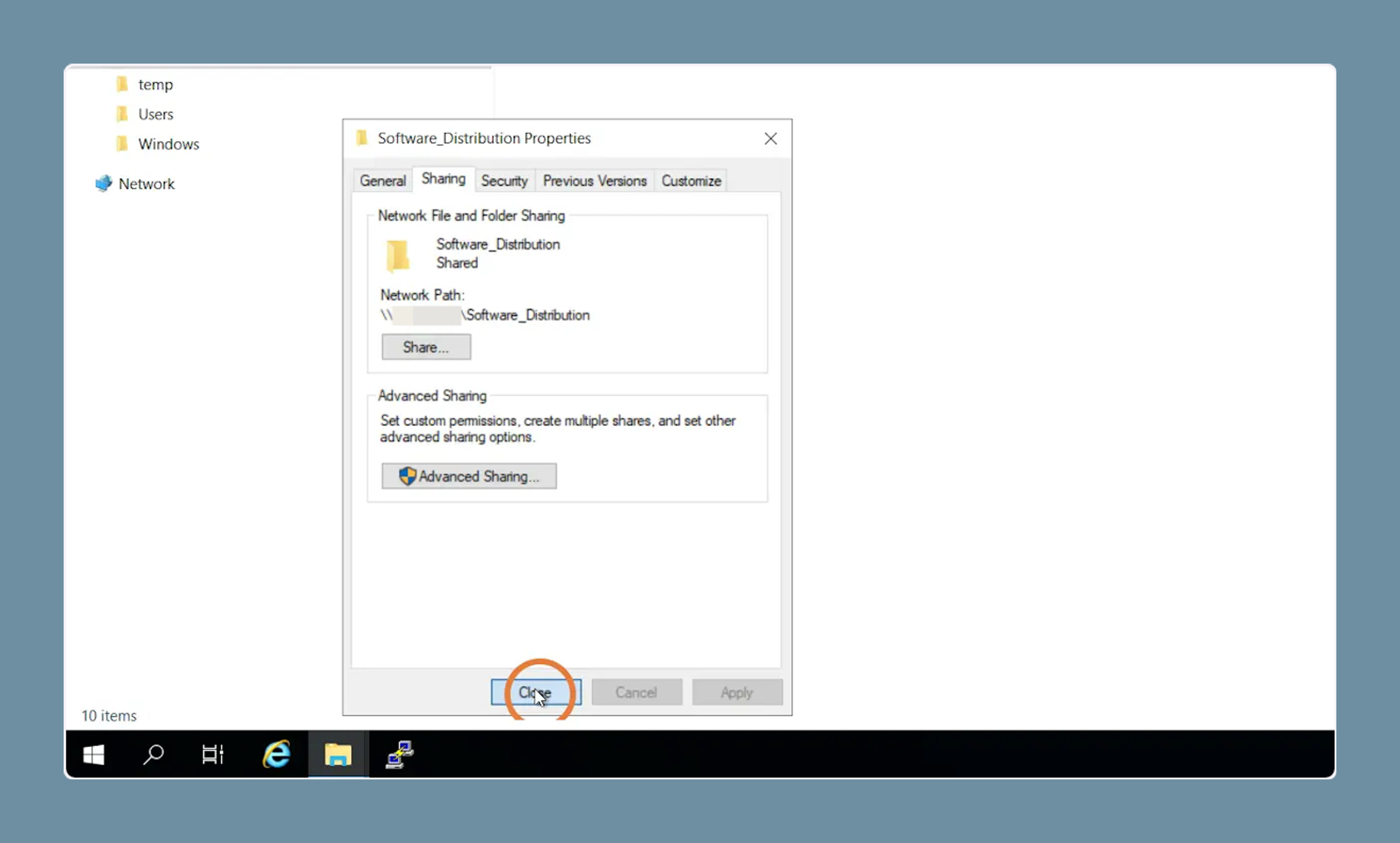
5. Click on "Sharing"
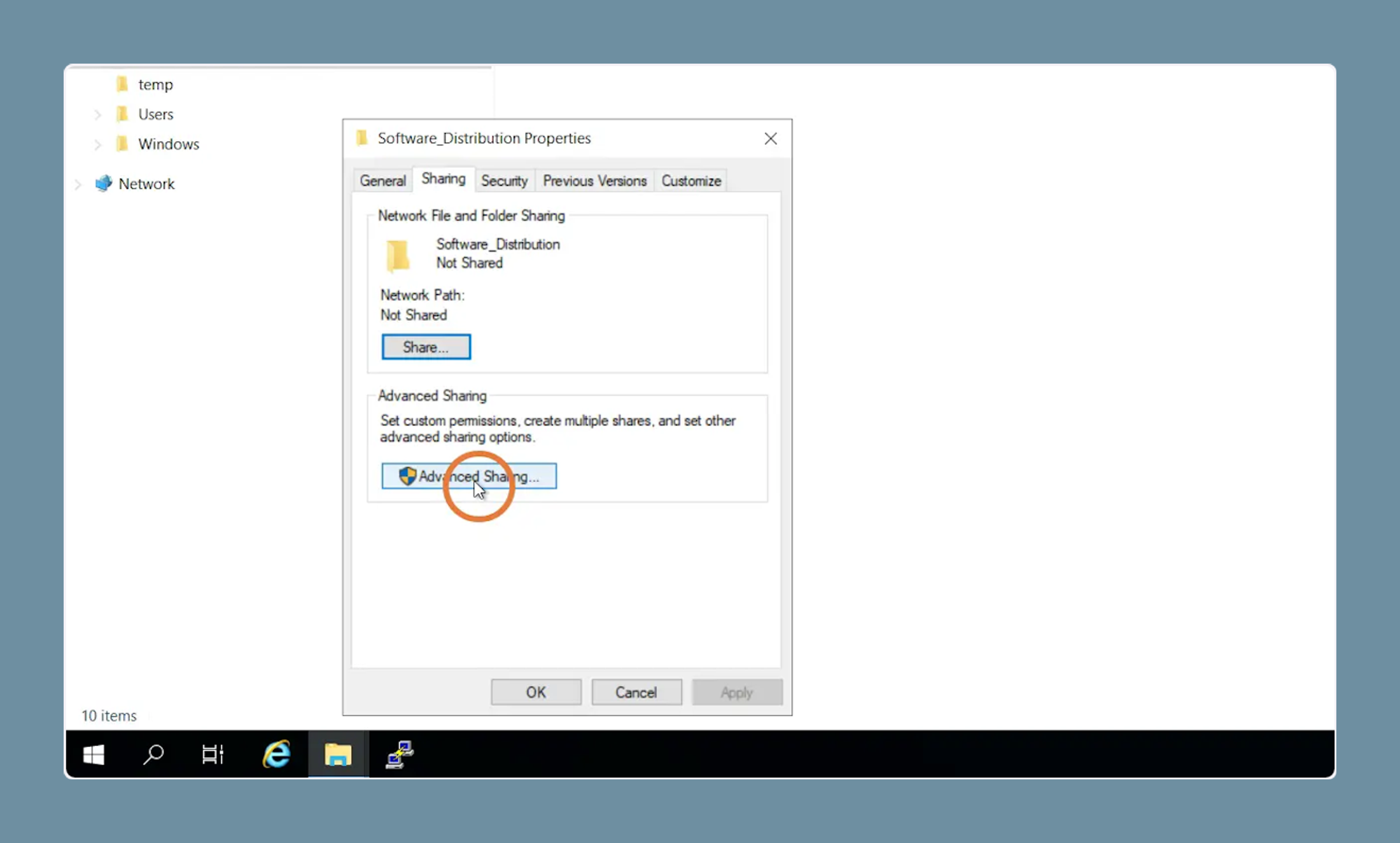
6. Click on "Advanced Sharing ..."
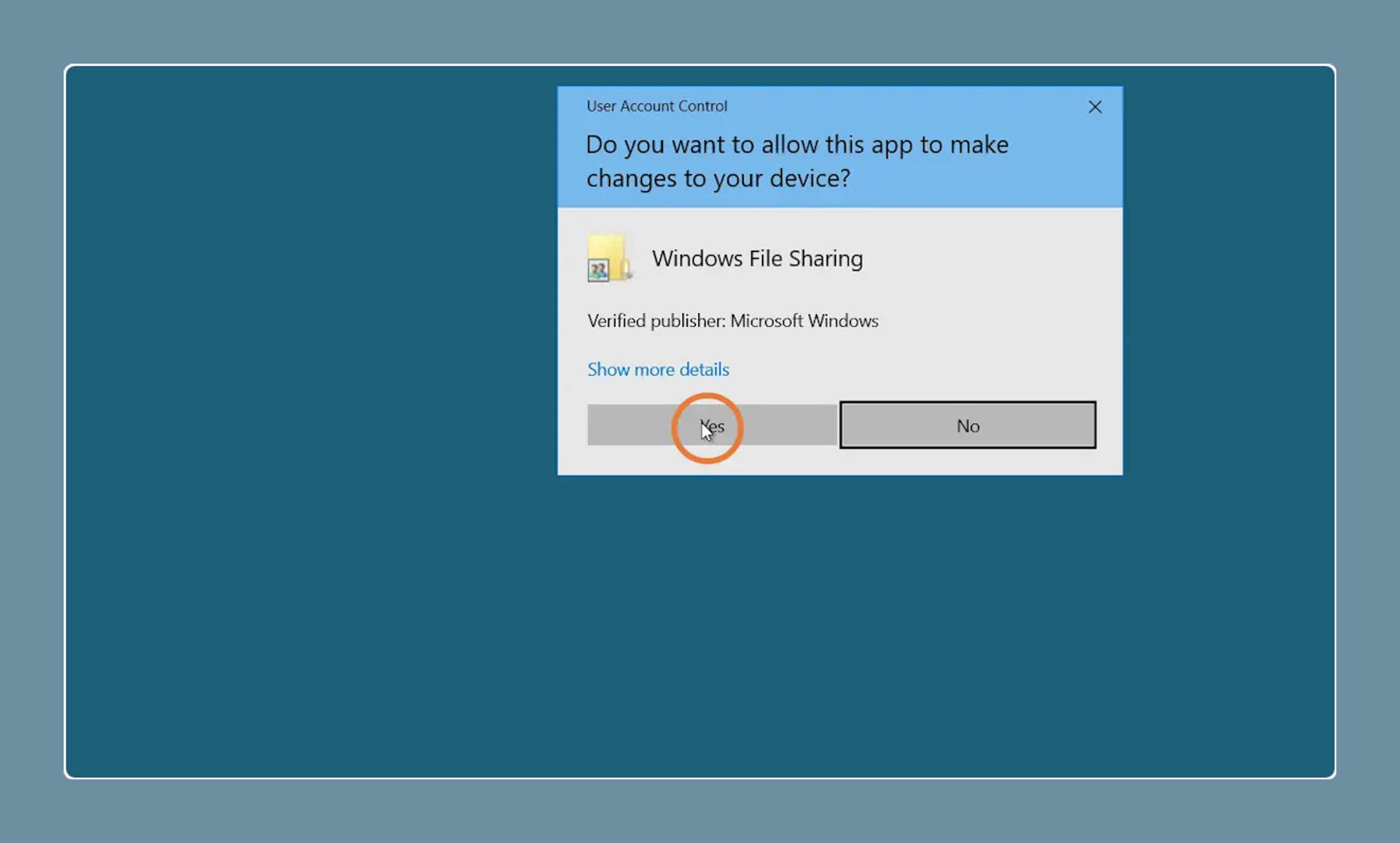
7. When the UAC is active, please click on "Yes"
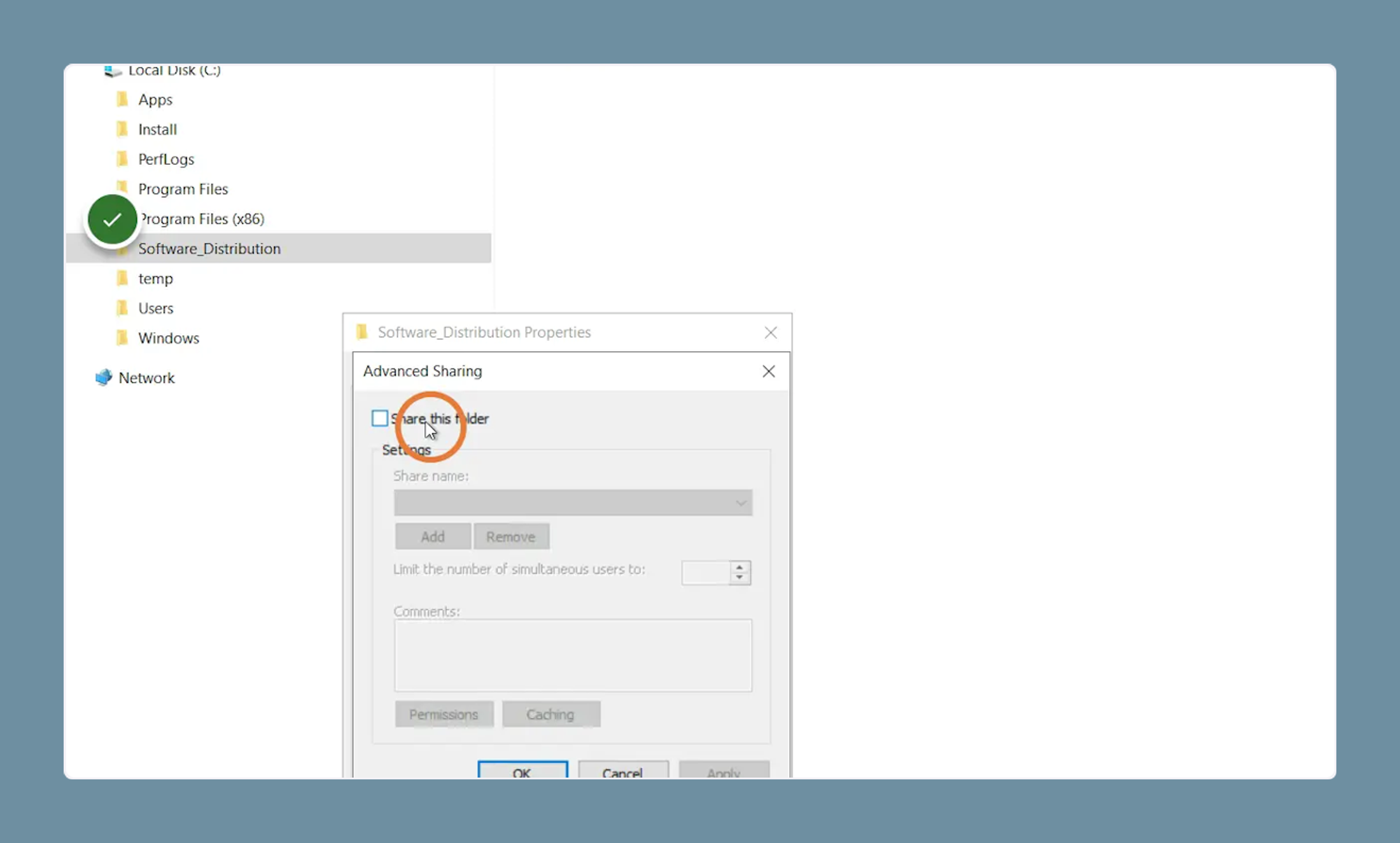
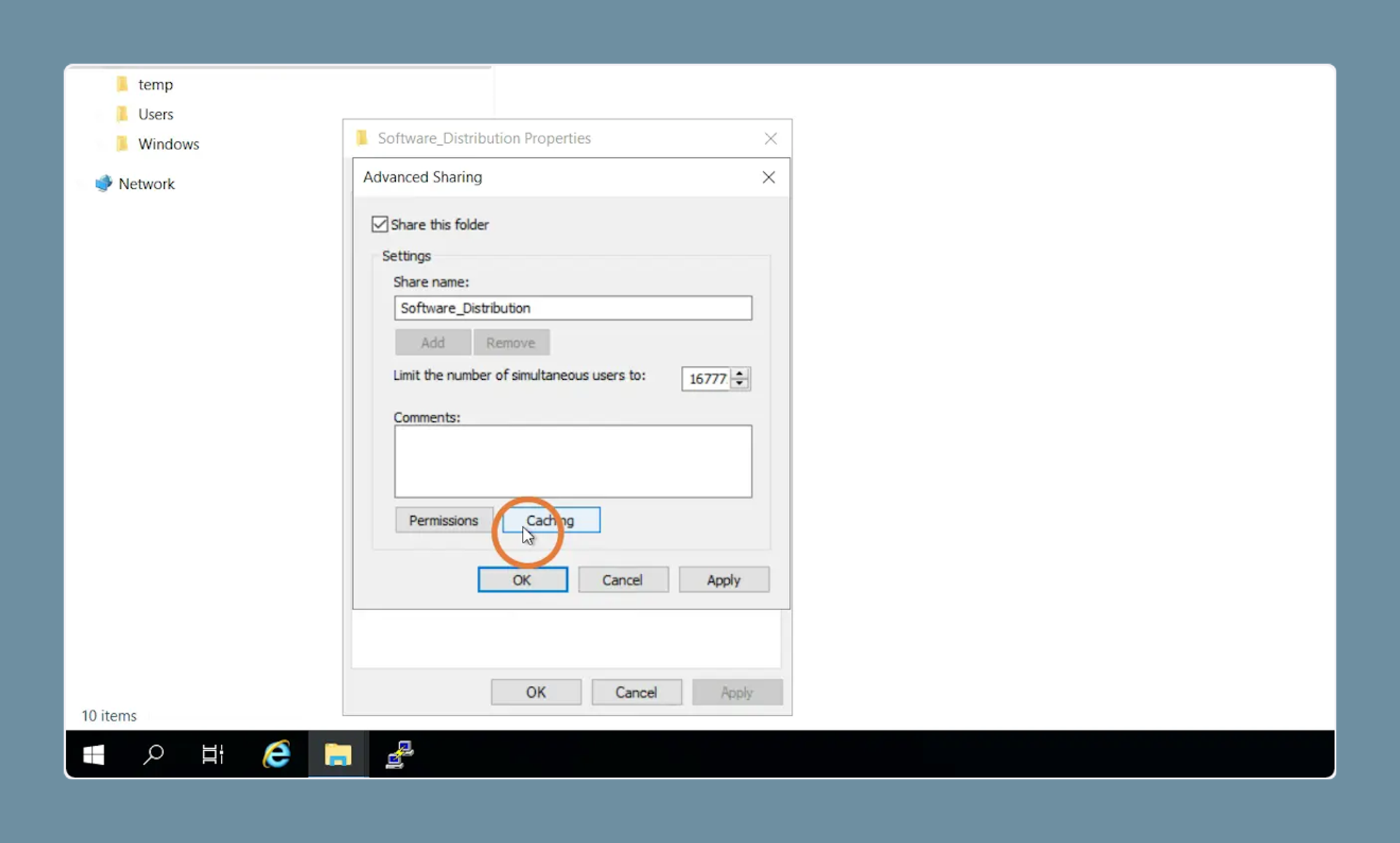
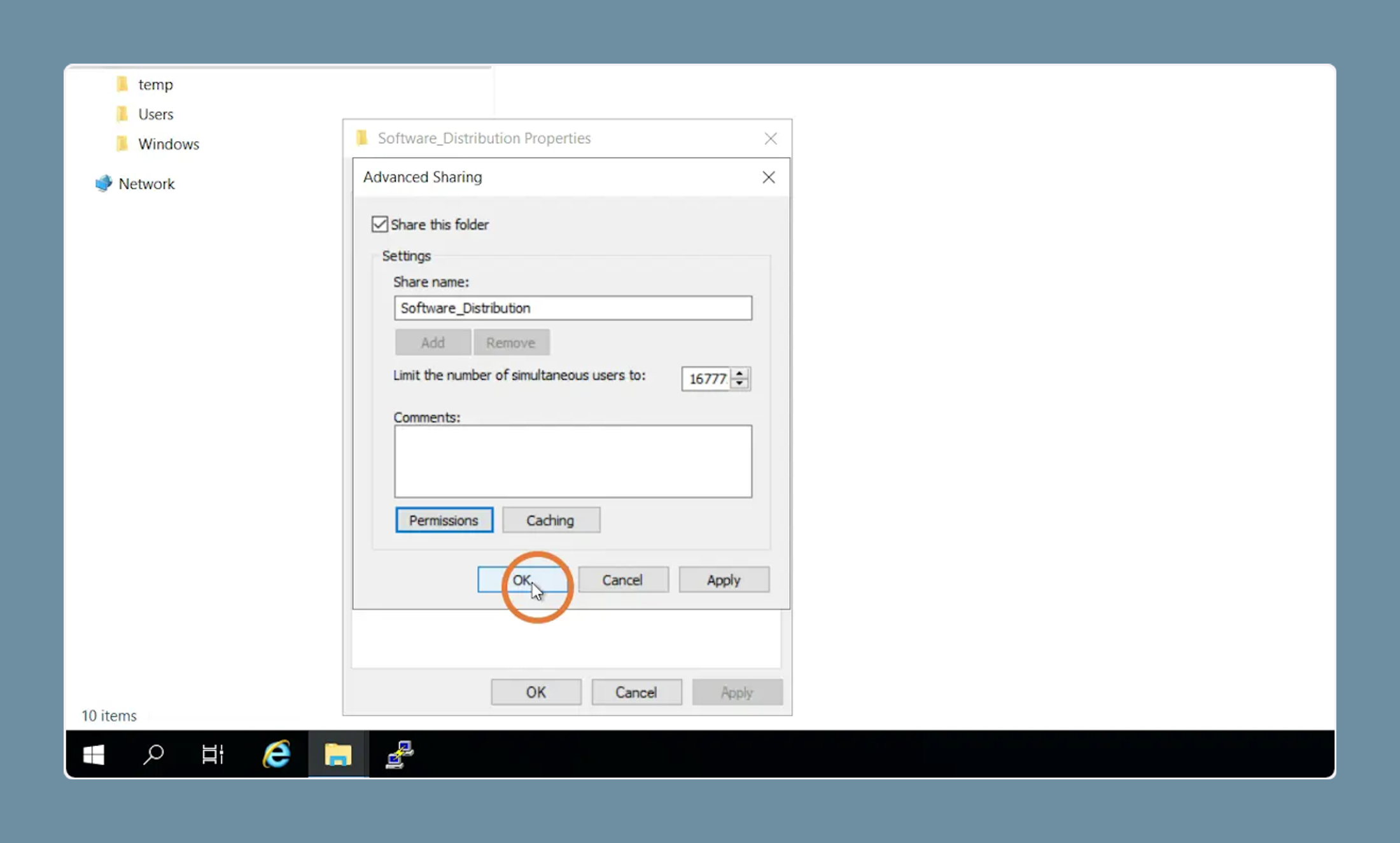
8. Click on "Share this folder"
9. Click on "Caching"
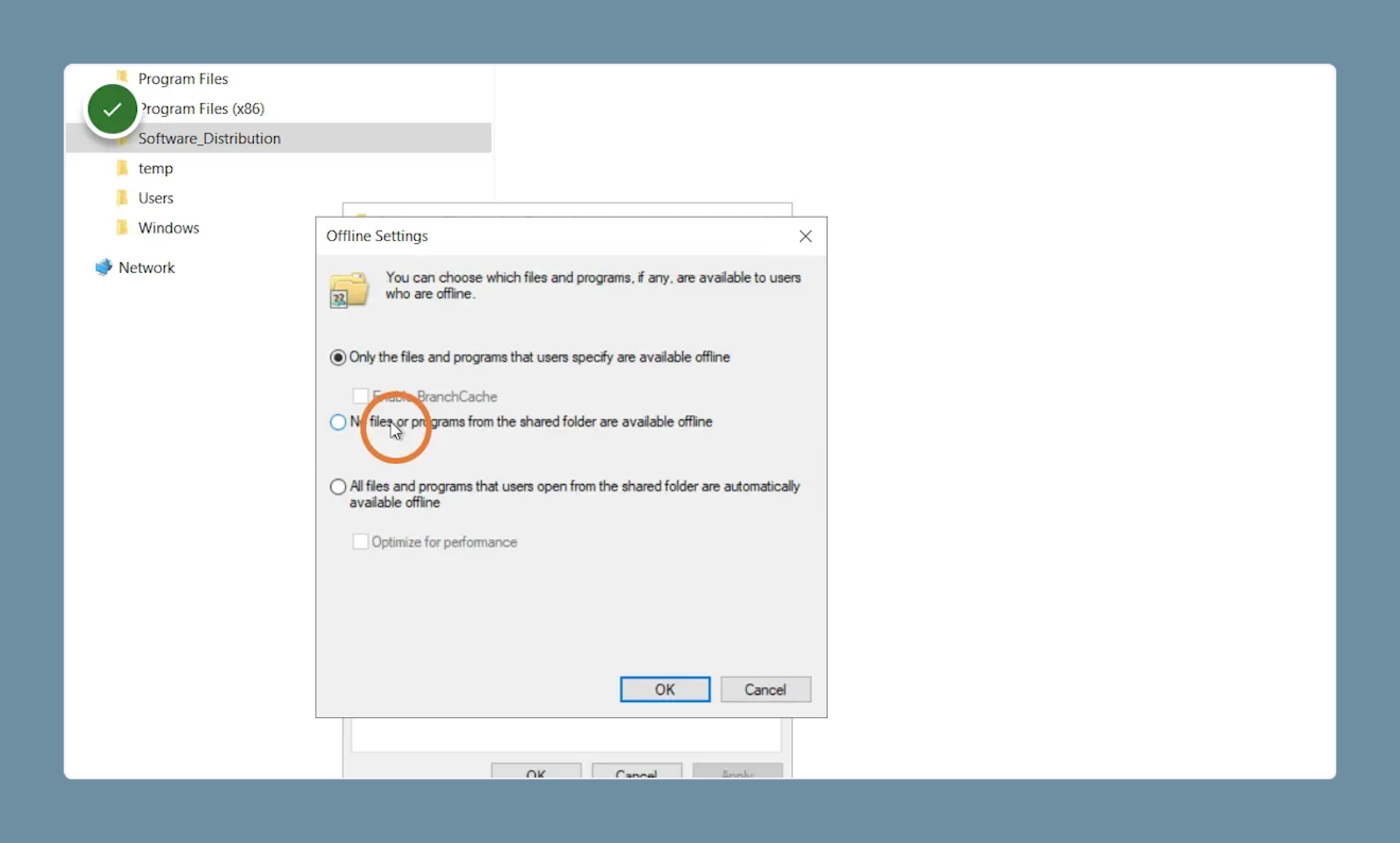
10. Select "No files or programs from the shared folder are available offline"
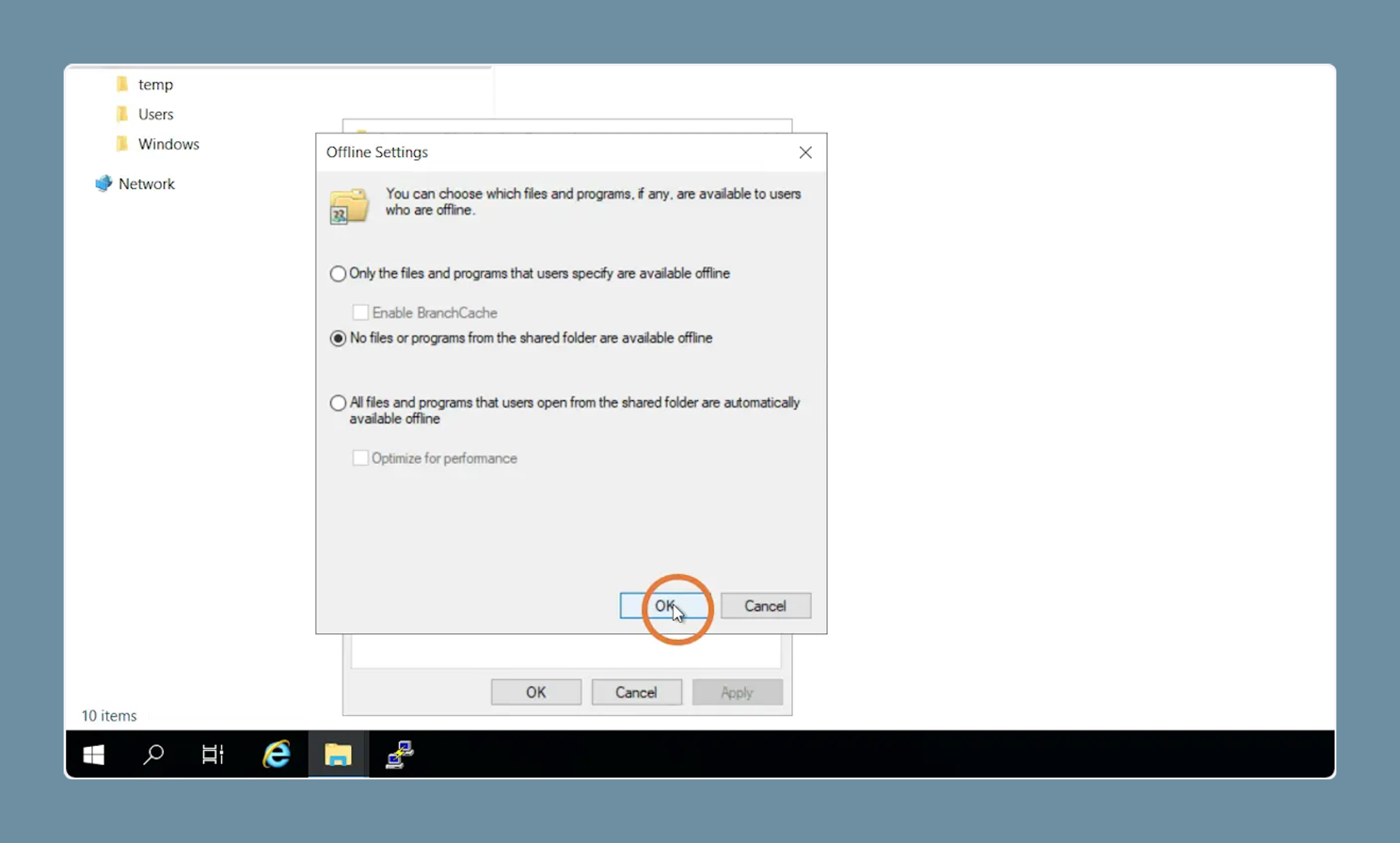
11. Click on "OK"
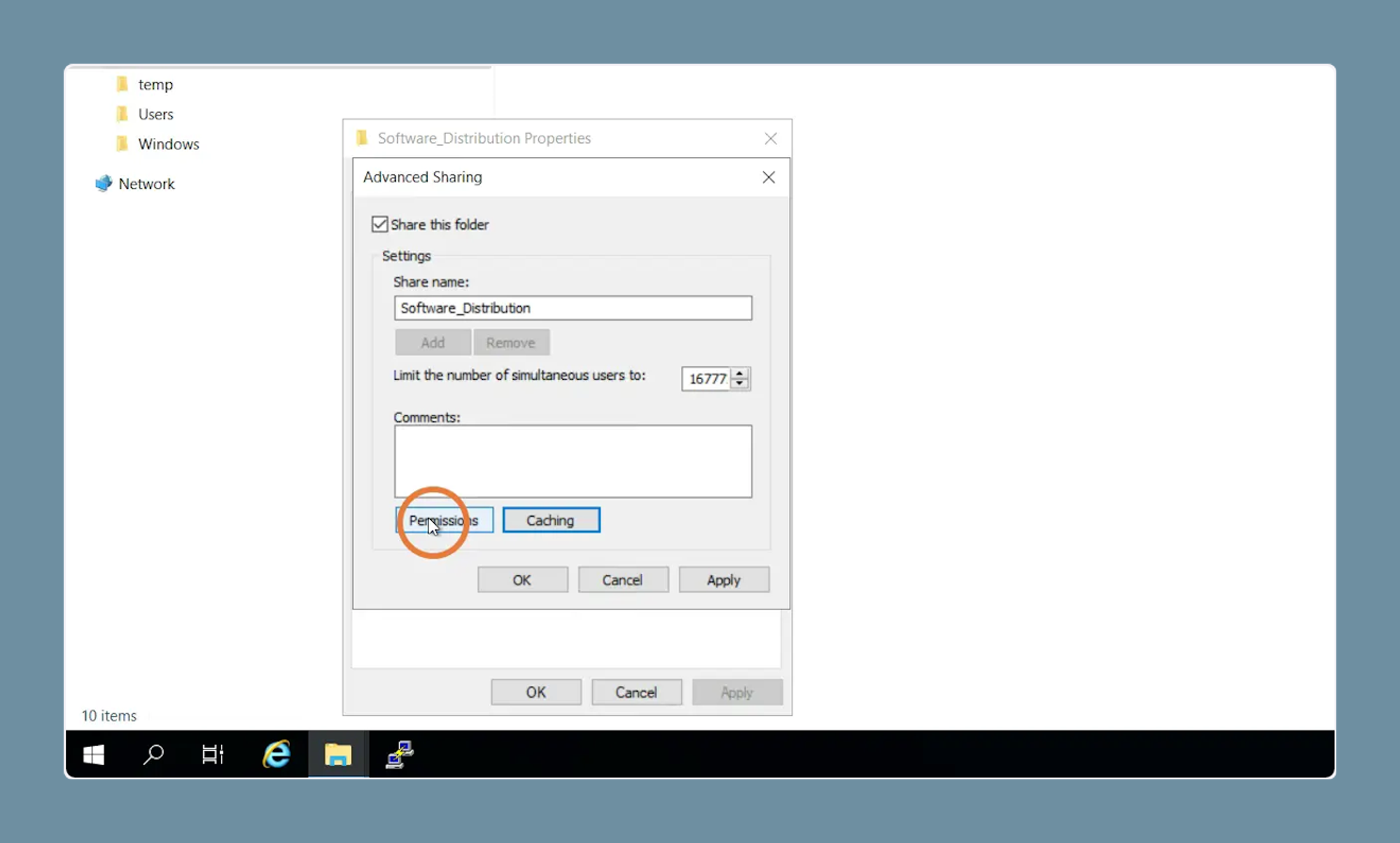
12. Click on "Permissions"
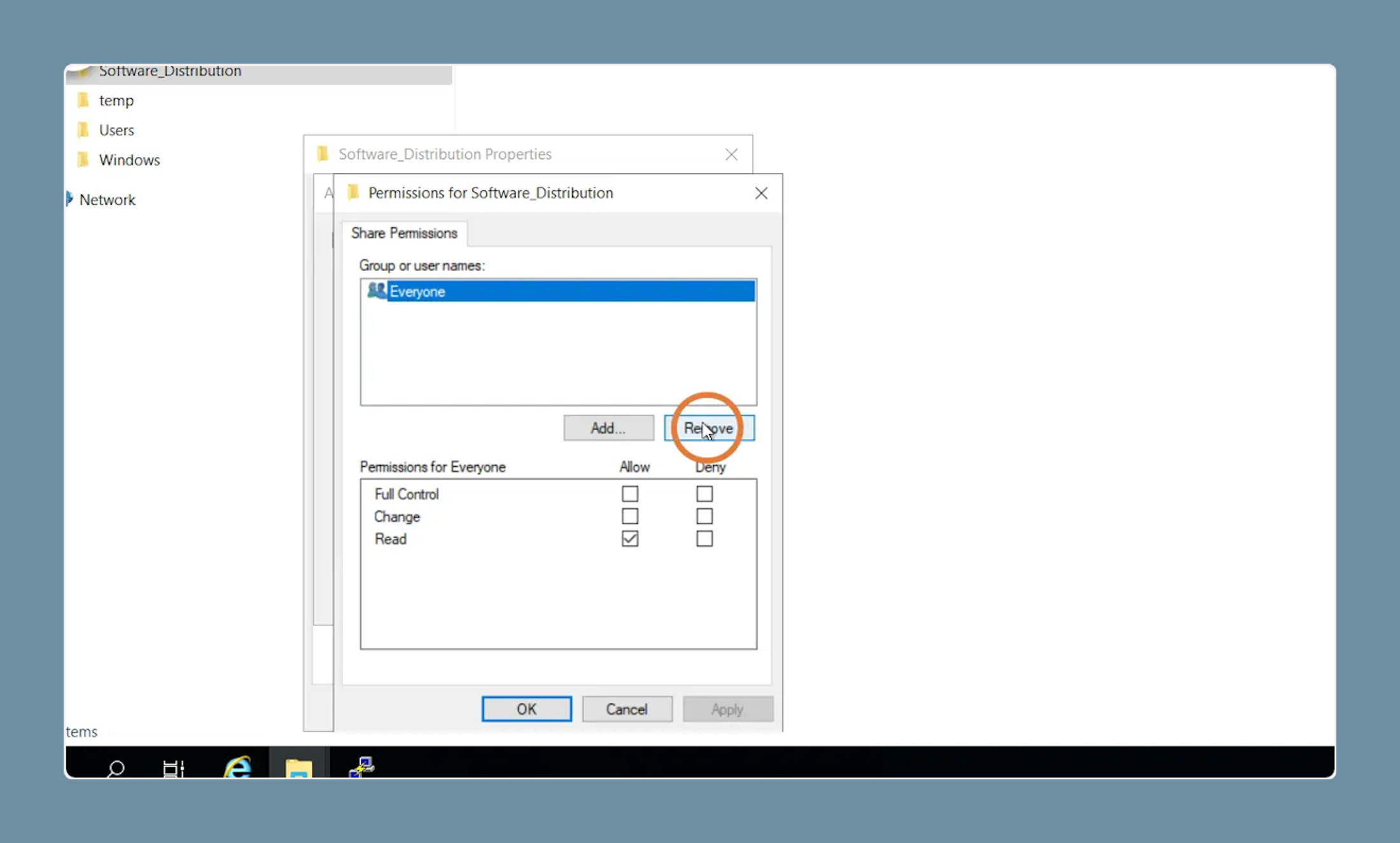
13. Select "Everyone" and click on "Revoke"
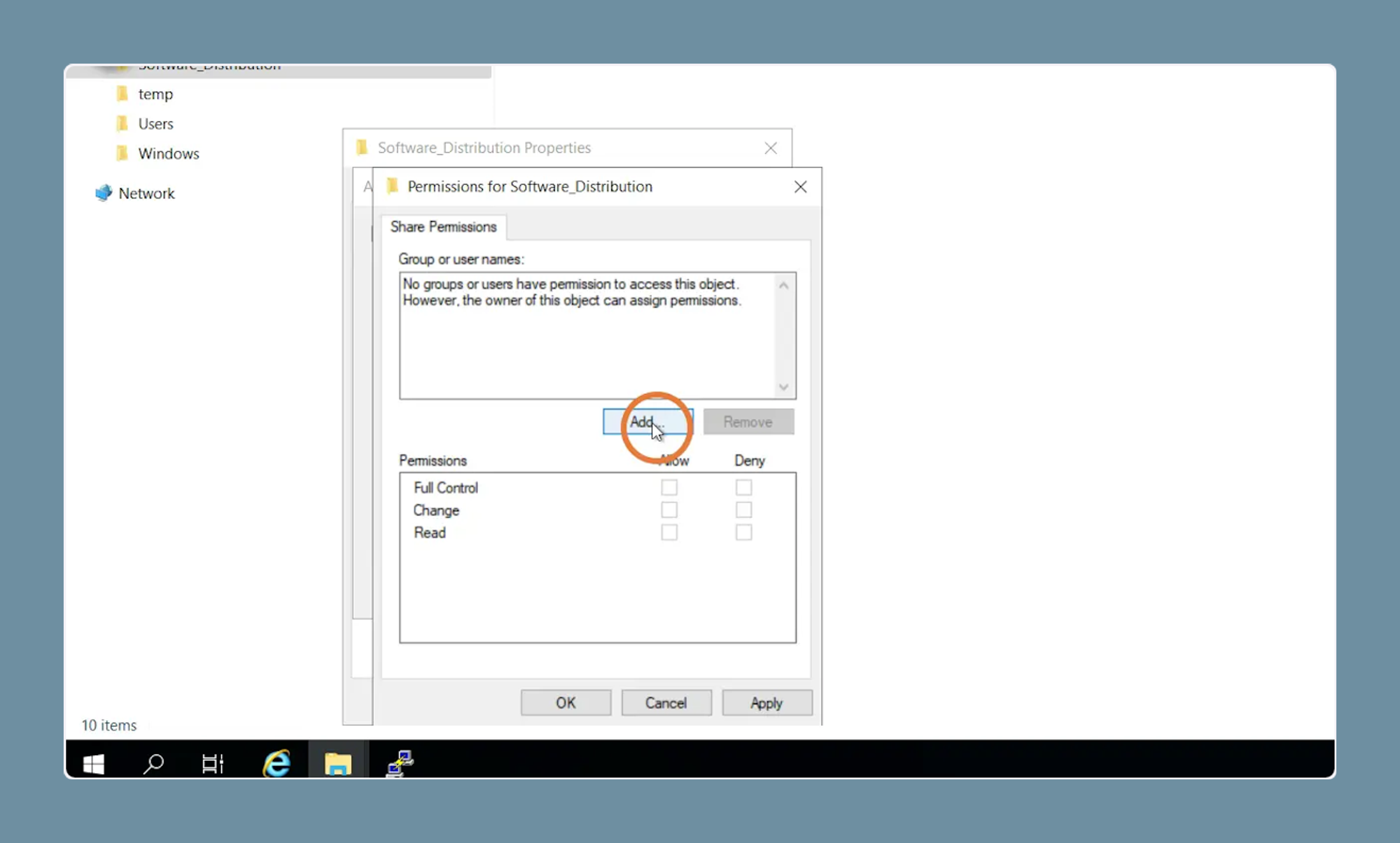
14. Click on "Add ..."
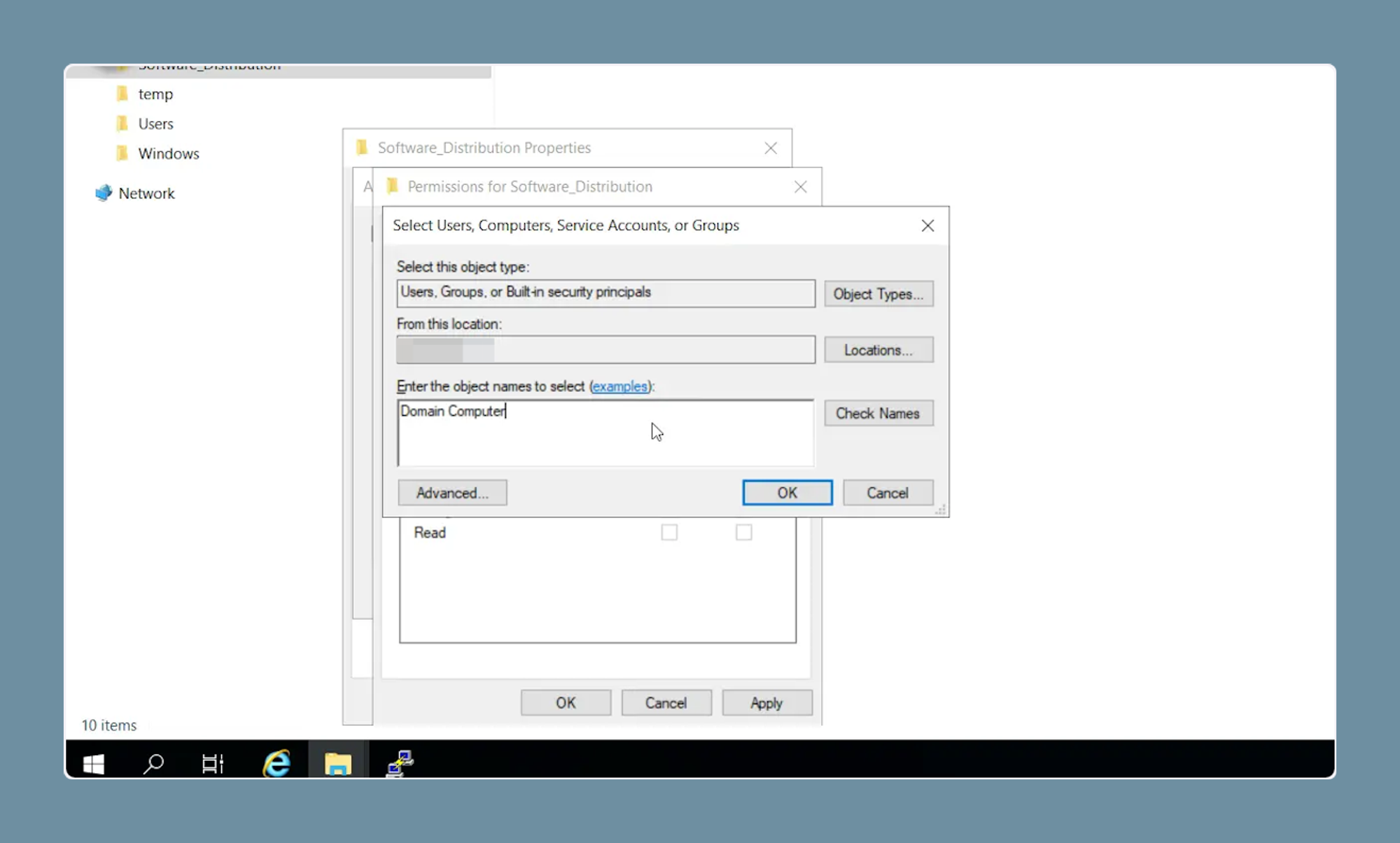
15. Write "Domain Computer"
16. Click on "OK"
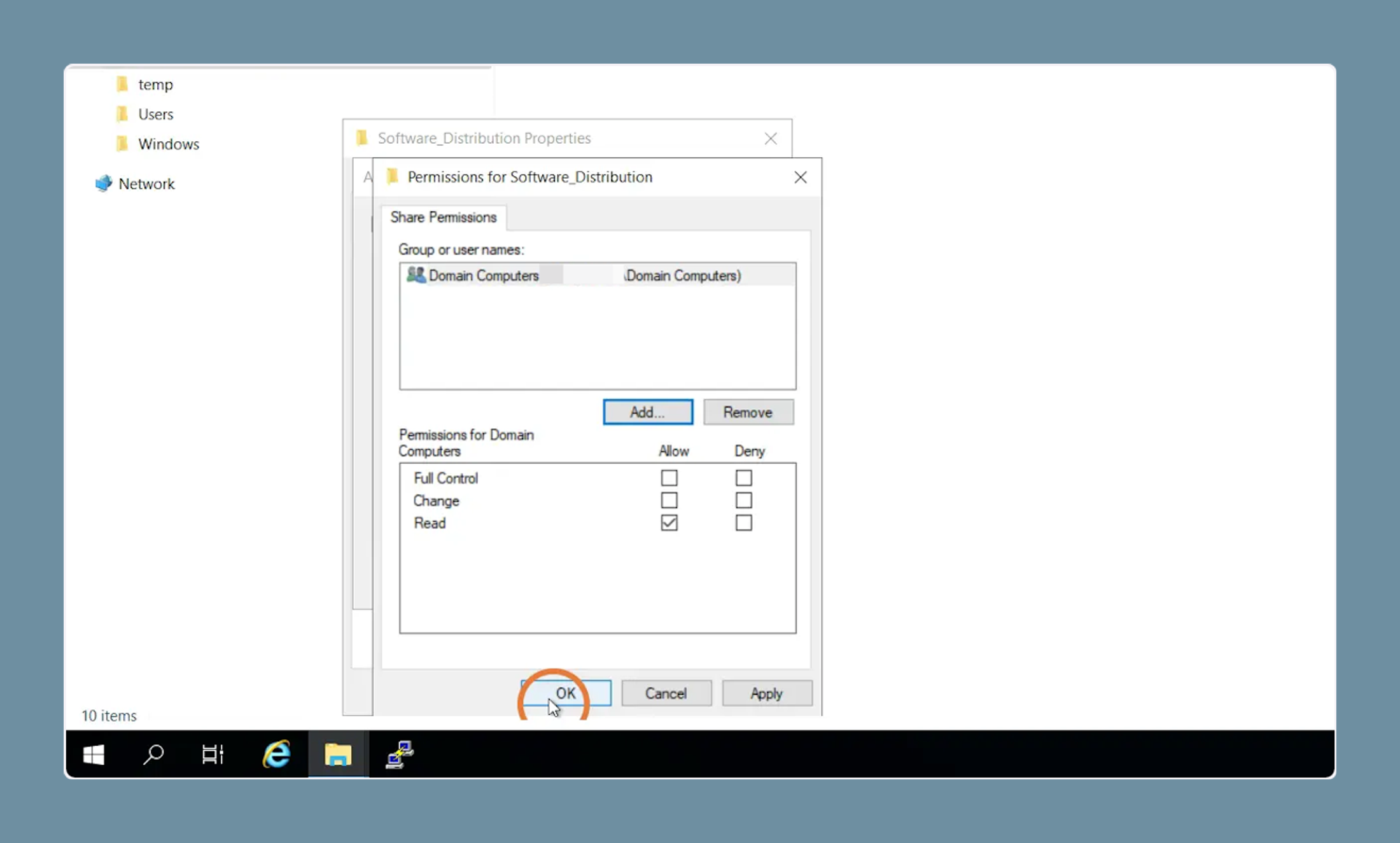
17. Click "OK" again
18. Click on "Close"