The system template Client patching installs the missing Windows updates on a client and restarts it if an update needs it. The Patch clients wizard sets it up as a policy (see Wizards). You find it in the Toolbox under System templates.
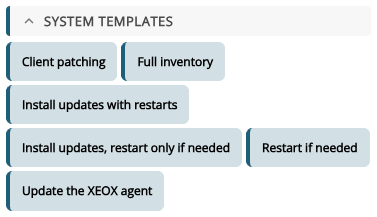
- Severity: which updates to install: All updates, Critical only, Important or higher or Moderate or higher.
- Update age (days): only updates released at least this many days ago. 0 installs them as soon as they are out.
- Restart: If an update needs it or Never.
- Restart after (minutes): how long the message counts down before the restart.
- Message before the restart: shown to whoever is signed in. Leave it empty to restart without a message.
The last two only appear with Restart: If an update needs it.
Below, you see the actions it adds: Install Windows Update, Search Windows Update and an if on rebootRequired with Send Windows Message and Reboot. Severity and update age are set on the task, so they apply to the installation. Add 5 actions puts them into the task.
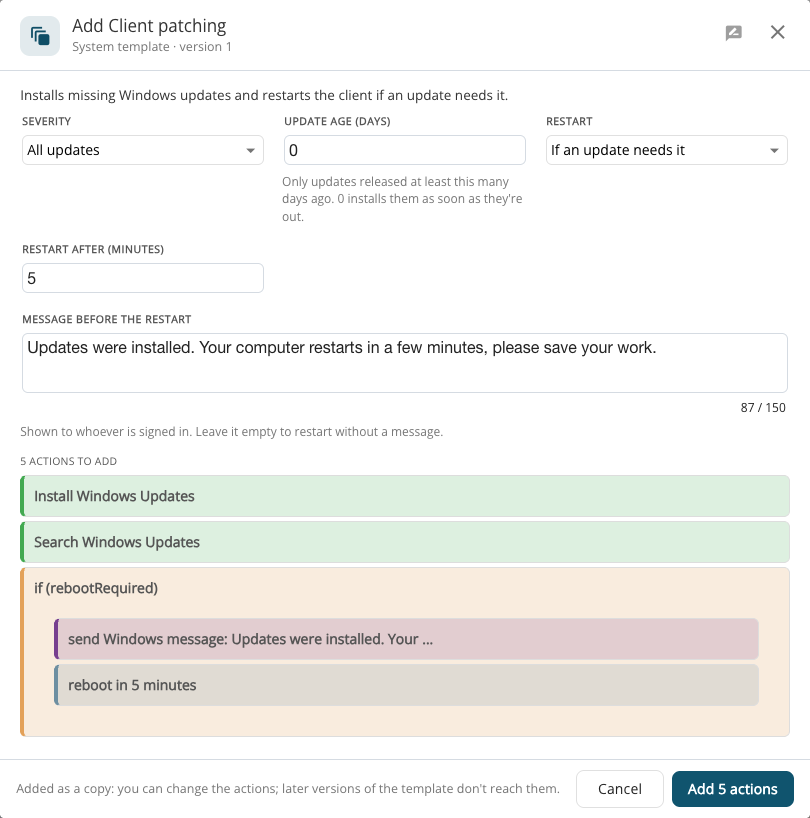
A system template is added as a copy: you can change its actions afterwards, and later versions of the template don't change them.