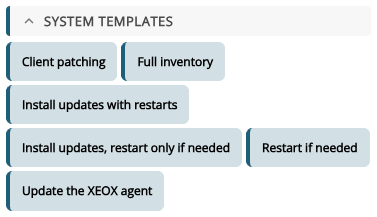
The system template Restart if needed restarts a client when an installed update needs it, after a message to the signed-in user. It installs nothing itself. Use it when the updates are installed some other way, for example by Windows Automatic Updates: the Patch clients wizard sets it up as a policy in that case (see Wizards). You find it in the Toolbox under System templates.
- Restart after (minutes): how long the message counts down before the restart.
- Message before the restart: shown to whoever is signed in. Leave it empty to restart without a message.
Below, you see the actions it adds: Search Windows Update, which also finds out whether a restart is pending, and an if on rebootRequired with Send Windows Message and Reboot. Add 4 actions puts them into the task.
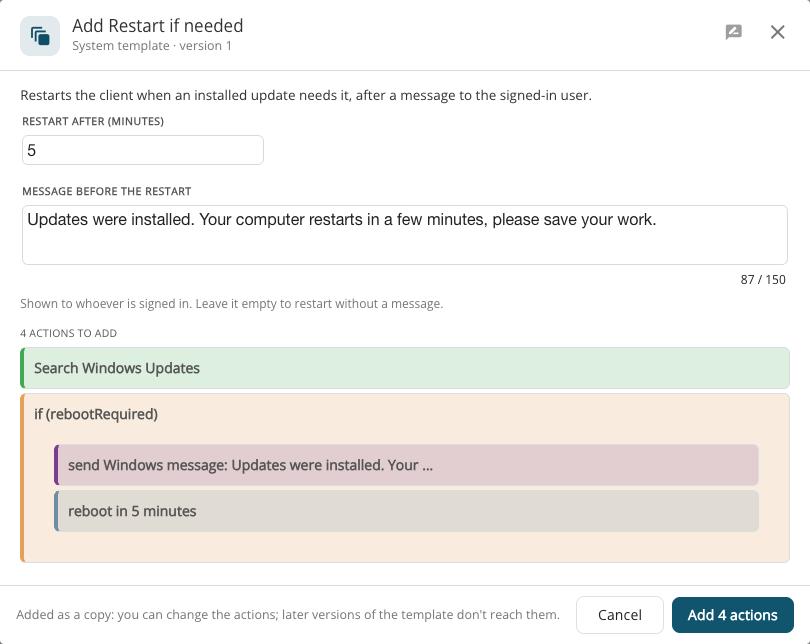
A system template is added as a copy: you can change its actions afterwards, and later versions of the template don't change them.